
Valentines love coloring book
Coloring GamesEducational
4.4580.00 Reviews
- Version
- 18.5.1
- Installs
- 10.00M
- Age Rating
- Everyone
Screenshots

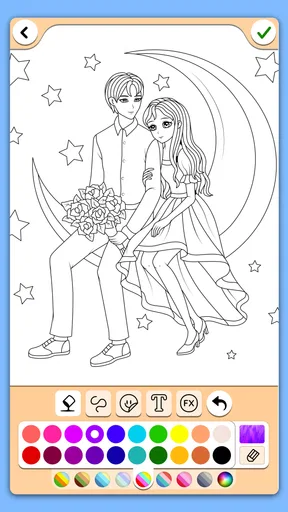
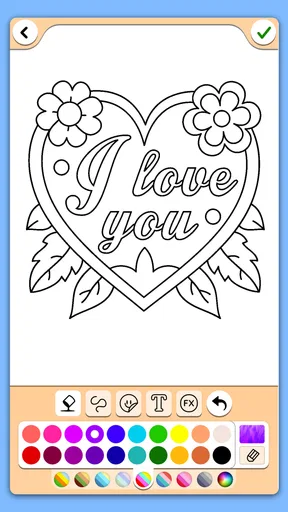
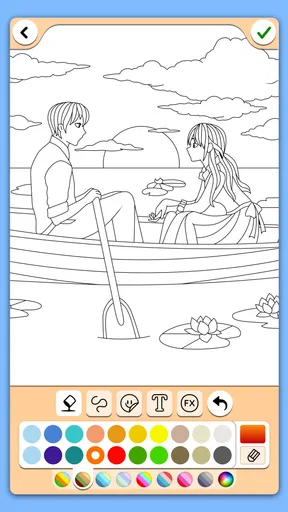
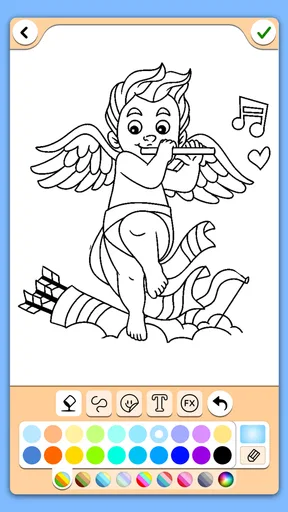
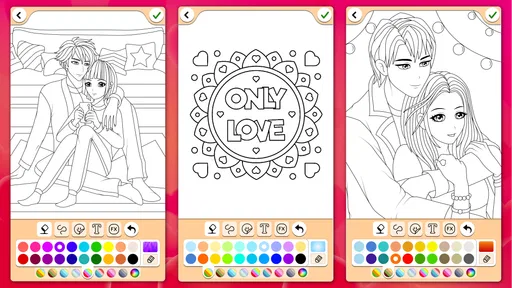
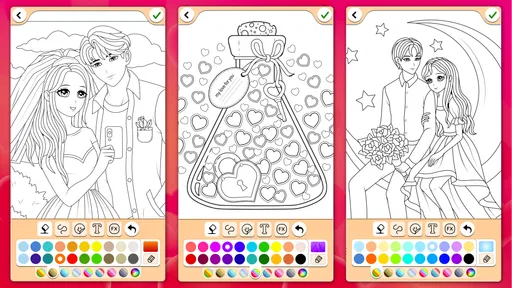
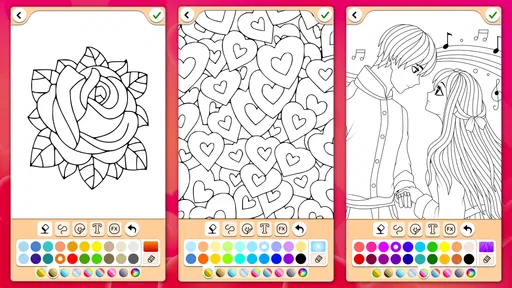
Our Review of Valentines love coloring book
 Analysis by Appyee
I went into Valentines love coloring book expecting a simple children’s coloring activity, and that is exactly what it is—but the simplicity is also its main strength. This is a free educational game from Coloring Games built around hearts, love-themed pictures, and Valentine’s Day painting. I found it easy to start, calm enough for short sessions, and straightforward for younger users who may not have the patience for a more complicated drawing app.
The game has been available since January 15, 2014, and its long presence is reflected in its broad audience: it has passed 10 million installs and holds a 4.4 average from around 53 thousand ratings. Those figures suggest that it is not a niche experiment. It is a familiar kind of casual coloring app that many families can open without needing instructions or a long setup.
How the basic coloring workflow feels
The first thing I noticed is how quickly the game gets out of the way. You choose a picture, select a color, and begin filling the drawing. There is no need to learn a complicated toolset before making something recognizable. That makes it suitable for a child who wants an immediate activity, but it also works for an adult looking for a quiet few minutes rather than a serious illustration program.
The Valentine theme gives the picture collection a clear identity. Hearts, romantic decorations, and love-related scenes make the app more focused than a general coloring book. That focus can be useful when the activity is being used around Valentine’s Day, for a small family craft session, or simply by someone who prefers a consistent visual theme instead of a mixed catalog.
In everyday use, I would treat each picture as a short, contained task. A child can color for a few minutes while waiting at a restaurant, during a quiet afternoon, or before bedtime. An adult can use the same routine as a low-pressure break from more demanding games. The lack of complex objectives is intentional: the reward comes from finishing a picture, not from beating a level or managing a score.
That also means expectations matter. This is not a drawing studio, a puzzle game, or a lesson in color theory. It does not turn coloring into a progression system with challenges to master. If you want freehand brushes, layers, detailed shading, or a large professional canvas, a dedicated art app will be a better fit. Here, the appeal is the guided picture and the ease of filling it.
A practical routine for children and families
For a young child, I would start by letting them choose the image without rushing them toward a “correct” color scheme. The app is more enjoyable when the result belongs to the child. After that, a useful habit is to finish one area at a time: choose a color, fill several matching sections, and then move to another part of the picture. This keeps the session organized without turning it into a lesson.
Parents can also use the pictures as conversation starters. A heart-themed image can lead into a simple discussion about colors, shapes, birthdays, kindness, or making a card for someone. That educational value comes less from formal teaching tools and more from the way the activity encourages observation and decision-making. It is a modest benefit, but a real one for preschool and early-school users.
I would not leave a very young child to explore every part of the device alone, though. The coloring itself is simple, but children can still tap around the screen, change pictures, or make accidental selections. A shared first session helps them understand the routine and reduces frustration later.
Settings and choices worth checking before settling in
The most important choice is not a hidden advanced mode; it is deciding whether the app’s simplified approach suits the person using it. The current version is 18.5.1 and requires Android 5.1 or later, so compatibility should be checked before installing on an older device. On a supported phone or tablet, the experience is best when the screen is large enough for small sections to be selected comfortably.
I prefer using this type of app on a tablet when a child is coloring. A larger display makes it easier to see the boundaries and reduces accidental taps. A phone is perfectly workable for a quick session, but smaller screens can make detailed areas feel cramped. This is a practical device choice rather than a game setting, yet it has a noticeable effect on comfort.
The game is free to download, with optional in-app purchases priced at $1.99 per item. That makes it easy to try without committing money first, but I would still check purchase controls before handing the device to a child. The safest routine is to let the adult manage any optional purchases and keep the child focused on the free portion until you know whether the available content is enough.
The content rating is Everyone, which matches the gentle, non-competitive nature of the activity. Even so, an age rating does not replace supervision for children who are still learning how touch controls work. I find the app most comfortable when an adult sets the boundaries at the beginning: which pictures may be used, whether purchases are allowed, and when the session should end.
There is also a useful distinction between choosing colors freely and trying to make a picture look realistic. The app is more rewarding when you treat it as playful coloring rather than a test of artistic accuracy. A child who colors a heart purple or a background green is exercising choice, not making a mistake. Adults who reinforce that attitude will get more value from the activity than those who expect polished results.
Small habits that make the experience smoother
I found that short sessions work better than leaving the game open indefinitely. Because there is no demanding progression to maintain, you can stop after one picture without feeling that you are losing progress in a larger campaign. That makes it convenient for waiting rooms, travel breaks, or a quiet transition between activities.
Another useful habit is to decide on a limited palette before starting. For example, a child might choose three favorite colors and use them throughout one picture. This adds a little structure without requiring any feature that the game does not advertise. It also helps when the user becomes overwhelmed by too many choices and keeps changing colors without completing anything.
For family use, I would save the finished picture as a small moment of conversation rather than turning every image into a competition. Ask why a particular color was chosen or which part was the most fun. That approach makes the educational side more visible and avoids comparing one child’s result with another’s.
Faster patterns for repeat users
Once the basic workflow feels familiar, the quickest way to enjoy the app is to make the session predictable. Pick a picture, choose a small group of colors, complete the largest or easiest sections first, and leave tiny details for the end. This reduces the feeling of being stuck in a fiddly area and gives the user visible progress early.
I would also avoid changing the palette every few seconds. Constant switching slows the experience and can make the picture look accidental rather than intentional. A better pattern is to complete all sections that should share a color, then move on. Even without advanced tools, this creates a more finished-looking result and teaches children to group similar tasks together.
For a child who loses interest quickly, choose images with clear, large areas first. Save more detailed pictures for a longer session when there is time to work carefully. This is one of the most useful ways to adapt the game to different attention spans. The same catalog can feel relaxing to one user and tedious to another depending on the picture selected.
Adults may appreciate a different rhythm. Instead of trying to complete a picture perfectly, use the game as a five-minute reset: open a familiar image, color a few sections, and stop when the break is over. Since the activity does not demand strategic planning or fast reactions, it works well when you want something interactive but mentally light.
Compared with a generic digital coloring book, the Valentine focus makes selection faster if you already like the subject. You are not browsing through unrelated animals, landscapes, vehicles, and fantasy scenes. The trade-off is variety. Someone who wants a broad collection of themes may quickly prefer a general coloring app, while someone choosing this game specifically for hearts and love-themed artwork may find the narrower focus helpful.
Where it fits beside paper and other apps
Paper coloring still has advantages. It feels more tactile, does not depend on a battery, and can be displayed physically afterward. This game is more convenient when you want no cleanup, no scattered pencils, and an activity that can travel on a phone. I would choose paper for a planned craft session and this app for an immediate, portable option.
Compared with a full digital art app, the game is much easier for a beginner but far less flexible. A drawing app may offer brushes, undo controls, layers, and detailed customization. Those tools are valuable for older children and adults who want to learn illustration. They can also create decision fatigue. This coloring game is better when the user should concentrate on selecting and filling rather than building an image from an empty canvas.
It also differs from competitive educational games. There are no arithmetic questions, vocabulary drills, or timed challenges to drive learning. Its educational value is informal: hand-eye coordination, color selection, attention, and creative expression. Families looking for measurable academic practice should choose a purpose-built learning app instead.
Limits that experienced users should understand
The biggest limitation is the narrow concept. A love and Valentine’s Day theme is appealing when it matches the occasion, but it may feel repetitive outside that context. If you want a long-term coloring library with many subjects, this is probably not the only app you will need. I see it as a focused activity rather than a complete replacement for every coloring option.
The simplified interaction is another trade-off. It lowers the learning curve, but it also limits what an experienced artist can do. You cannot approach the pictures as blank canvases, and users who enjoy detailed blending or personal line work may find the experience too controlled. The game rewards filling prepared artwork, not constructing or editing an illustration from scratch.
Optional purchases can also affect how families judge the free experience. The initial price is free, which is useful for testing, but the presence of $1.99 items means adults should decide in advance whether spending is appropriate. I would not recommend buying anything immediately. Try the available activity first, see whether the child returns to it, and only then consider whether additional content is worthwhile.
There is a difference between popularity and personal suitability, too. More than 10 million installs and a 4.4 average rating show that the format works for a large audience, but they do not guarantee that an older child or serious hobby artist will enjoy it. The game’s Everyone rating and educational category point toward accessibility, not depth. That is a strength for beginners and a boundary for advanced users.
I would skip it if your main goal is structured learning, competitive play, realistic digital painting, or a large range of unrelated themes. I would also look elsewhere if you need a tool for creating printable artwork with precise control. The app makes more sense when the goal is a friendly, low-pressure coloring activity that can be started immediately.
Who will get the most from it
Young children who enjoy hearts, bright colors, and simple touch activities are the clearest audience. Parents looking for a calm device-based activity around Valentine’s Day may also find it useful. It can work in classrooms or family settings as a starting point for talking about colors and patterns, although it should not be mistaken for a complete educational curriculum.
It is also suitable for adults who prefer uncomplicated casual games. I would not call it a deep relaxation tool for everyone, but the repetitive action can be pleasant when you want a break without rules, timers, or a demanding story. The themed artwork gives the session a little more direction than an empty drawing screen.
The developer, Coloring Games, has kept the concept accessible rather than turning it into a complicated system. That choice explains both the app’s reach and its limitations. New users can understand it quickly, while experienced users will eventually notice that there are fewer ways to customize the process than in dedicated art software.
My verdict after using it as a focused coloring break
I recommend Valentines love coloring book when you want a free, gentle coloring game with a very specific romantic and Valentine’s Day theme. It is easy to begin, appropriate for Everyone, and flexible enough for a child’s short activity or an adult’s quiet break. The strongest experience comes from choosing a suitable picture, limiting the palette, and treating the result as creative play rather than a performance.
Its weaknesses are equally clear. The theme may become repetitive, the prepared pictures leave little room for serious artistic control, and optional purchases mean parents should supervise the device. Users searching for lessons, competition, advanced drawing tools, or broad subject variety should choose another category of app.
For the right audience, though, the straightforward design is exactly what makes it useful. I would install it on a compatible tablet for a child who enjoys coloring, try the free content before considering any purchase, and use short, repeatable sessions instead of expecting a large game experience. As a focused educational coloring activity from Coloring Games, it does its small job well without pretending to be something more ambitious.
Verdict
Strengths of Valentines love coloring book
- Relaxing coloring activity for Valentine’s Day fans
- Simple controls suitable for children and adults
- Wide range of romantic designs to color
- Works well for short, casual creative sessions
- Can inspire personalized card and gift ideas
Limitations of Valentines love coloring book
- Some coloring pages may require in-app purchases
- Ad interruptions can reduce the relaxing experience
- Limited appeal outside Valentine’s-themed content
- Color choices may feel basic for advanced users
- Saving or sharing artwork may need extra permissions
Similar Picks in This Category
View All
Little Panda Policeman
BabyBus4.0

Monster Trucks Game for Kids 2
Raz Games4.1

Little Panda's Chinese Recipes
BabyBus4.4

Little Panda's Restaurant
BabyBus4.4

Little Panda's Ice Cream Games
BabyBus4.3

Baby Panda Care
BabyBus3.8
Frequently Asked Questions
What is Valentines Love Coloring Book?
Valentines Love Coloring Book is a relaxing digital coloring app centered on romance and Valentine’s Day themes. It typically includes illustrations such as hearts, flowers, couples, gifts, cards, and other affectionate designs. Users can choose colors, fill sections, and create personalized artwork directly on a mobile device without needing physical coloring supplies.
Is Valentines Love Coloring Book suitable for children?
The app can be suitable for children, teenagers, and adults who enjoy simple creative activities, although the appropriate age may depend on the specific illustrations, advertising, and privacy settings included in the version you download. Parents should review the store listing, check in-app purchases, and supervise younger children when advertisements or external links are available.
Does Valentines Love Coloring Book require an internet connection?
Some basic coloring features may work offline after the application and its artwork have been downloaded, but this can vary by version. An internet connection may still be required for advertisements, unlocking additional pictures, synchronizing progress, sharing creations, or downloading new content. It is best to open the app once online before using it without a connection.
Is Valentines Love Coloring Book free to download and use?
The application may be available as a free download, but free versions often include advertisements, optional purchases, or locked coloring pages. Before installing, review the official Google Play or App Store listing for pricing details. If children use the app, enable purchase restrictions on the device so that optional upgrades cannot be bought accidentally.
What devices support Valentines Love Coloring Book?
Compatibility depends on the particular developer and release available for your device. Check the official store page for the required Android or iOS version, storage space, and supported device models before downloading. Keeping your operating system updated can improve performance, while older phones or tablets may experience slower loading or limited access to newer features.
Play our best games!


